

LDSperimetral: Professional perimeter advertising software for sports stadiums
LDSperimetral: A Leading Software System for Perimeter Advertising
With more than 150 installations worldwide, this perimeter advertising software system for sports stadiums is one to watch.
Our perimeter digital signage software, LDSperimetral, is a perimeter advertising software solution to organize, manage and run your clients’ advertising on a perimeter system in sports stadiums.
This LED hoarding control system for soccer fields, and other sports, has easy learning. This LED advertising system on the edge of the field allows you to have the peace of mind of successfully managing advertising in sporting events, avoiding operational errors and simplifying management.
In post-production, this stadium LED billboard management system will help you show your client which advertisement was displayed, when, and for how long.
This stadium advertising software will allow you to:
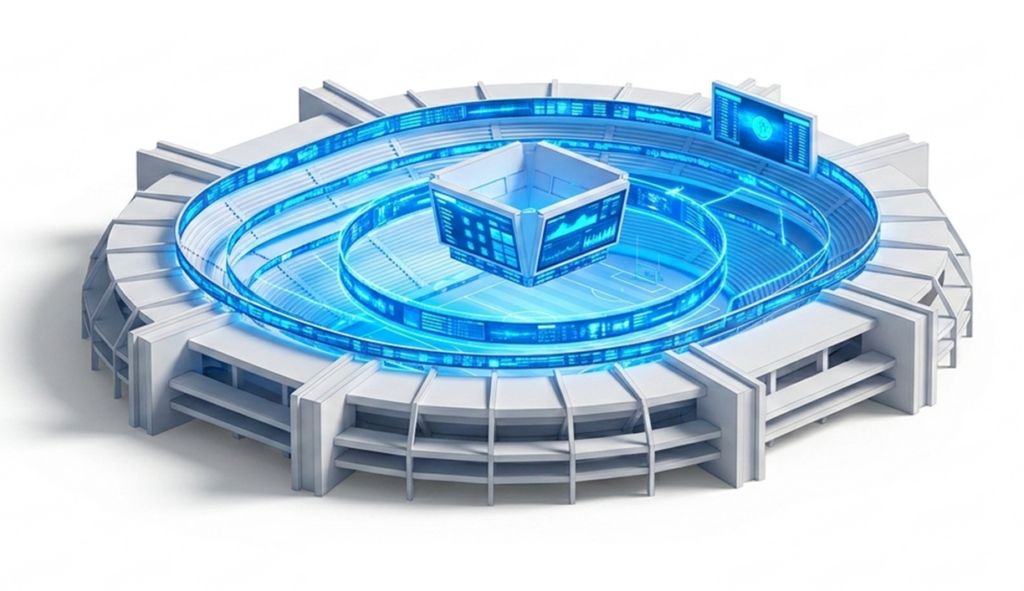
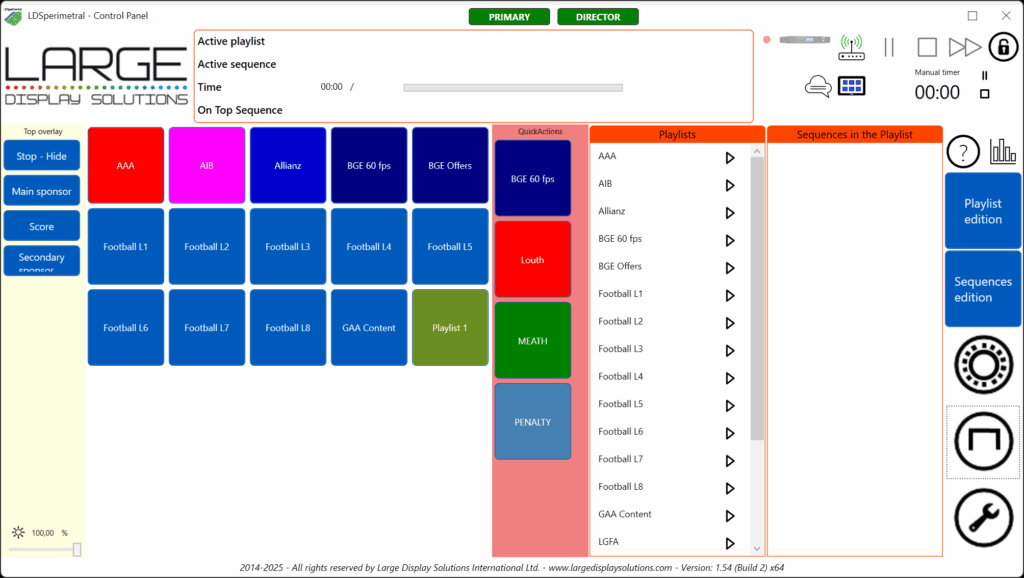
REAL-TIME LED ADVERTISING CONTENT MANAGEMENT AND EDITING
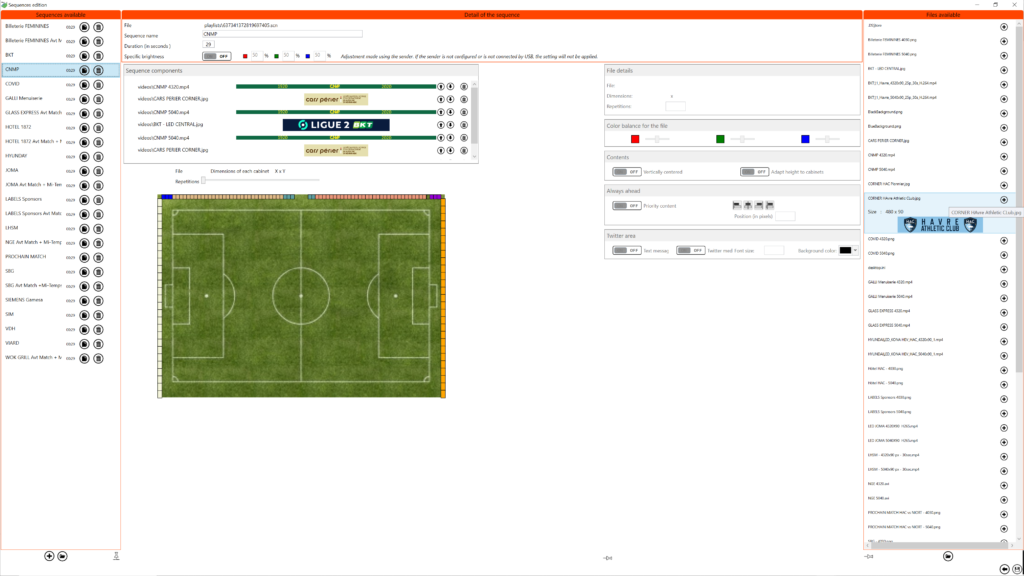
Organize content simply and quickly. With a clear user interface, it allows you to organize your videos into sequences and group these into playlists. You will have a clear idea of how the videos will be distributed on the perimeter screen and you will do so agilely.
SCORE, TIMES, AND OTHER TEXT MESSAGES
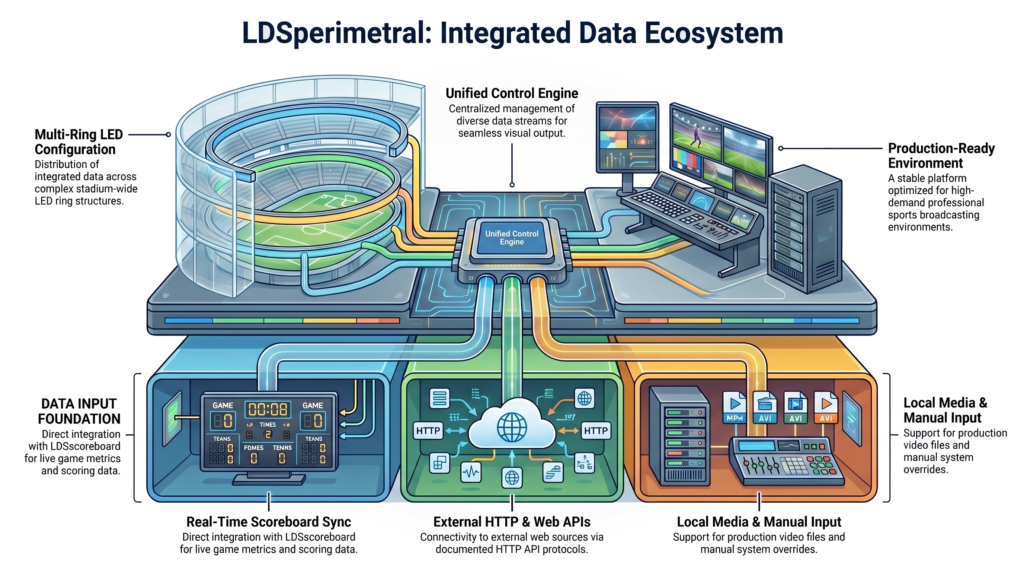
LDSperimetral offers the possibility to display texts over images or videos. These texts can come from different sources:
This functionality allows presenting the match result, displaying security messages, indicating service speed measurements, and a long etcetera over the perimeter system in a simple, friendly, and effortless way.
SYNCHRONIZATION OF MULTIPLE LED RINGS WITH BACKUP
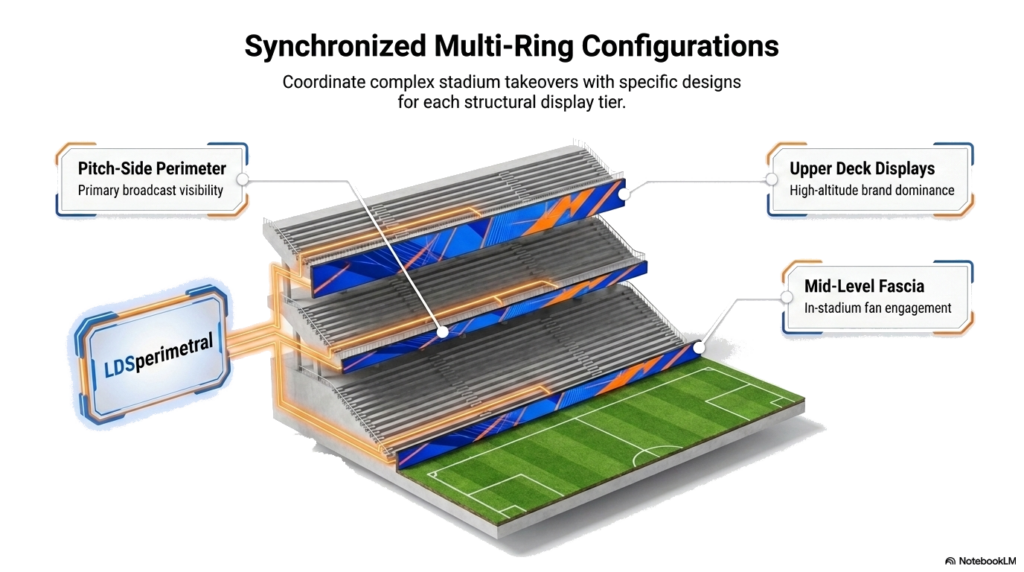
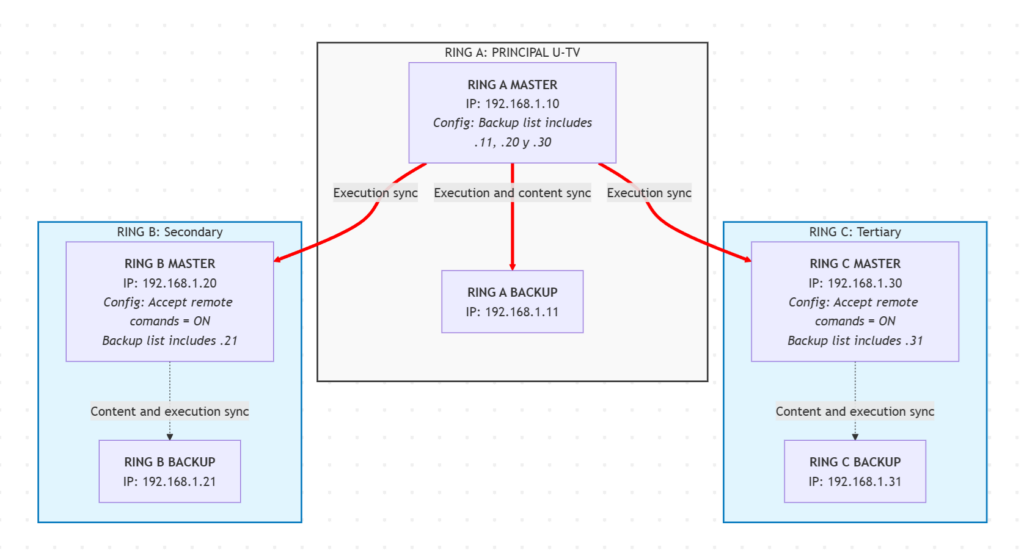
LDSperimetral is designed to manage stadiums that have multiple LED rings or perimeter screens located at different heights, each with its backup as required by UEFA regulations. This architecture allows for the synchronized execution of content on all visual supports of the venue, regardless of their physical configuration.
A key feature is the flexibility in media management: each ring can be composed of modules with different resolutions, requiring specific media for each one, while maintaining perfect synchronization for the same advertiser.
Scalability and Latency
The system does not impose a limit on the number of rings to synchronize; you can synchronize as many systems as you want. Since communication is done via network (preferably wired), adding additional rings does not introduce significant delay (latency) between the execution of the first and the last.
TV EXPOSURE STATISTICS FOR SPORTS SPONSORS
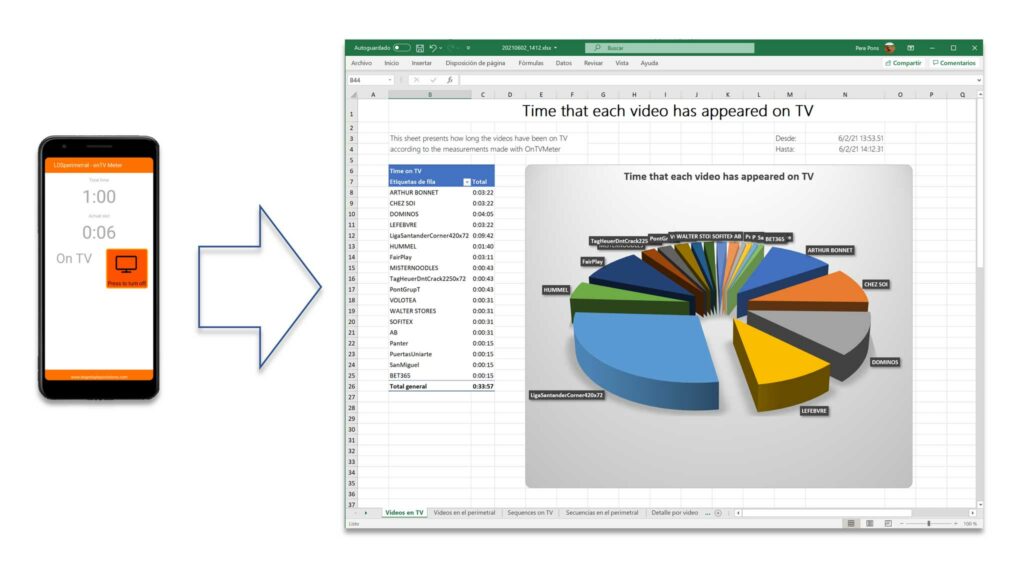
Through the onTV application, accessible from the local network where LDSperimetral is located, you can indicate to the system how much the perimeter system is exposed during television broadcasting.
LDSperimetral offers you television and stadium exposure statistics segmented by advertising, thus simplifying the preparation of information for advertisers.
This feature will help you reduce the time spent preparing the exposure report for advertisers.
INTEGRATION WITH OTHER SYSTEMS
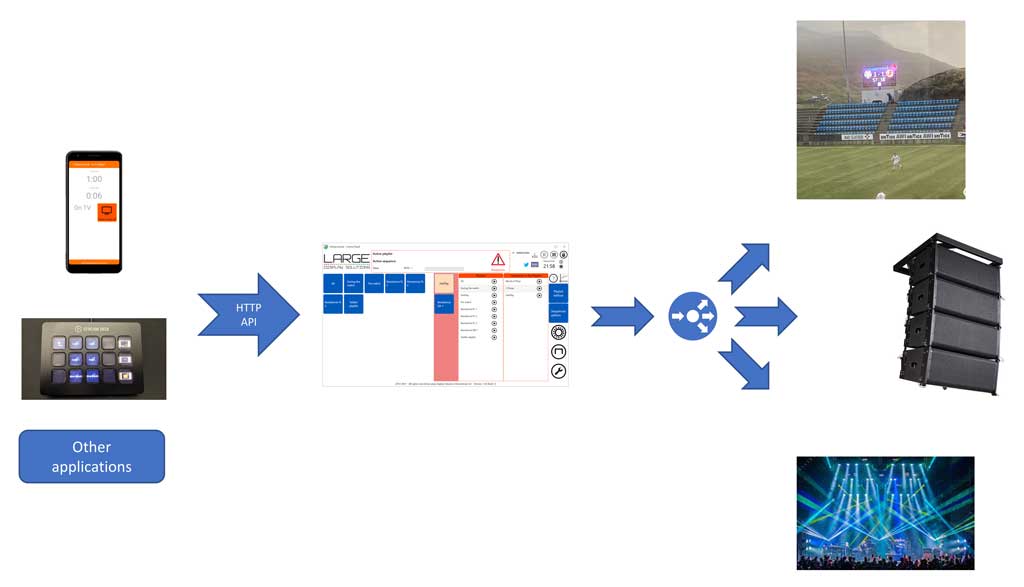
Thanks to the public HTTP API offered by the LDSperimetral edge advertising software package, we will be able to remotely control the execution of sequences and playlists, using devices such as Elgato’s Stream Deck, or any other element that complies with the interface.
Simultaneously, thanks to LDSbridge, which is offered together with LDSperimetral, we will be able to synchronize other systems with the playback of edge content.
LDSbridge will allow you to:
- Identify when a specific sequence or playlist starts
- Launch a program immediately or with a delay.
- Make a request to another program or system.
- Make a request to an HTTP GET interface of another system.
- Select an advertisement in LDSscoreboard.
This way you can synchronize any integrable element in your environment with the edge advertising management system.
BRIGHTNESS CONTROL
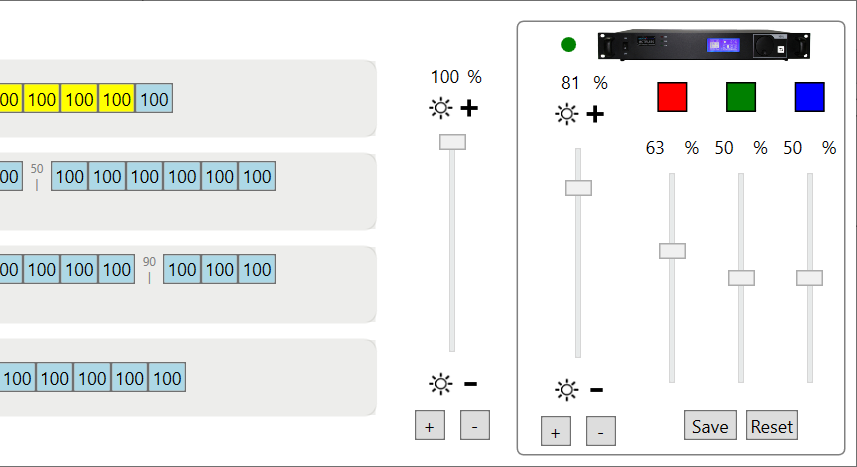
The system allows you to manage the brightness on all existing emitters, as well as make color adjustments at the video file level.
OUR CLIENTS
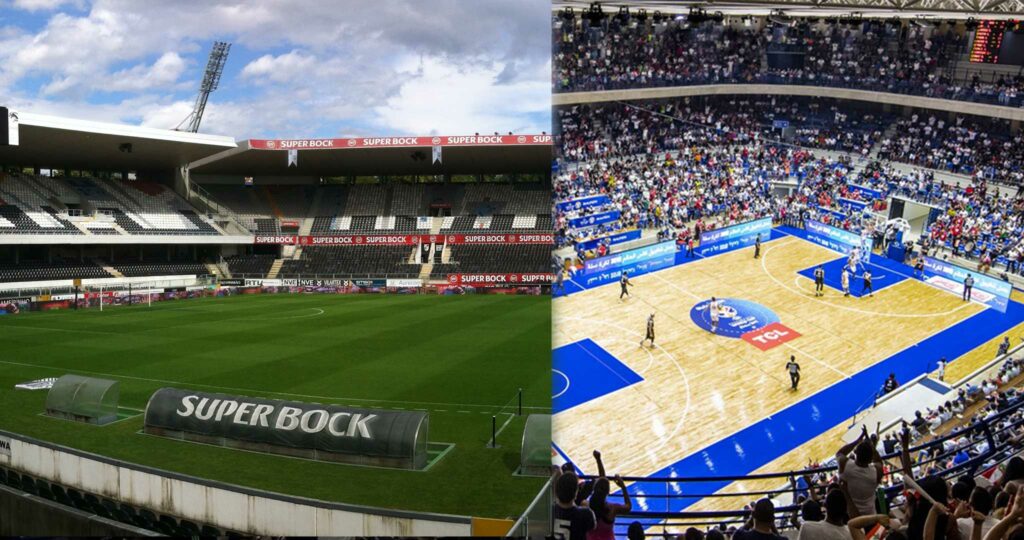
Over the years that the system has been growing, more and more clients have placed their trust in LDSperimetral and the service received from our team. This is a small sample of those who have placed their trust in us during this last year.





STANDARD OR INDOOR VERSION?
Adjust the cost of your perimeter system to your needs
So that you can adjust your costs to the size of the perimeter system you need, we have introduced the INDOOR version.
The INDOOR version offers the same features as the standard version, but has a limitation on the maximum size your perimeter system can have.
| Standard | INDOOR | |
|---|---|---|
| Maximum length in pixels | No limitation | 15,000 |
| Maximum length in meters (pixel pitch of 6.25) | No limitation | 93.75 |
| Application features | All | All |
MAXIMUM SECURITY

In a live event, the security and stability of the operation is an absolute priority.
For this reason, LDSperimeter can be configured to have a fully synchronized backup system via network in terms of content and execution, so that if a failure occurs in one of the computers, the other continues to provide service.
HARDWARE LED
LDSperimetral provides universal LED hardware compatibility (Novastar, Colorlight and more)

Compatible with all LED boards of the market

Works with all senders

Unmatched Stability: 100+ games per weekend without incidents

Support for more than 8K resolutions.
PC PLATFORM
To use this perimeter advertising management system, you will need a computer with approximately these specifications. Depending on your needs, we will recommend adjustments based on this baseline.
Please refer to the product documentation for details or contact us.
| INDOOR | Standard | |
|---|---|---|
| Operating system | Windows 11 | Windows 11 |
| CPU | Intel i7 | Intel i9 |
| RAM | 16 Gb | 32 Gb |
| Graphics card | Nvidia for laptops | Nvidia GeForce RTX 4070 |
| HD | SSD | SSD |
| PC type | Laptop | Desktop |
NEXT STEP: TRY IT OUT WITHOUT OBLIGATION
Because the purchase decision is complex, we offer you a fully functional trial version so you can check if the system meets your needs.
The trial version will allow you to use all features, but the word DEMO will appear on all perimeter system panels. Go to the downloads page and download the current version. If you do not enter a license number, the system will run in DEMO mode.

Take advantage of your time with a free online learning plan so you can work independently with the system.
LICENSING PLANS
Licenses are always linked to a computer, which means that each computer offers a different registration number and the license is for the exclusive use of that computer. It is not transferable. To cover all your needs, we offer two types of licenses: annual renewal licenses and perpetual licenses (for the computer on which they are installed).
| Annual renewal | Perpetual license | |
|---|---|---|
| Includes all functionalities | Yes | Yes |
| Is there a time limit for license use? | Yes, one year from activation | No, it is forever. |
| Can I replace the computer? | Yes | No |
| In case of theft or replacement, do I have to buy another license? | No | Yes |
LDSperimetral Standard Prices
LDSperimetral Standard
- Annual license
- License for one computer
- Online support included
- Version updates: yes
- License replacement with computer change: yes
LDSperimetral Stadium Pack
- Annual license
- License for main and backup
- Online support included
- Version updates: yes
- License replacement with computer change: yes
LDSperimetral Standard
- Perpetual license
- License for one computer
- Online support included: 1st year
- Version updates: 1st year
- License replacement with computer change: NO
LDSperimetral Stadium Pack
- Perpetual license
- License for main and backup
- Online support included: 1st year
- Version updates: 1st year
- License replacement with computer change: NO
LDSperimetral INDOOR Prices
LDSperimetral INDOOR
- Annual license
- License for one computer
- Online support included
- Version updates: yes
- License replacement with computer change: yes
LDSperimetral INDOOR Stadium Pack
- Annual license
- License for main and backup
- Online support included
- Version updates: yes
- License replacement with computer change: yes
LDSperimetral INDOOR
- Perpetual license
- License for one computer
- Online support included: 1st year
- Version updates: 1st year
- License replacement with computer change: NO
LDSperimetral INDOOR Stadium Pack
- Perpetual license
- License for main and backup
- Online support included: 1st year
- Version updates: 1st year
- License replacement with computer change: NO
FAQ
There are two scenarios depending on the type of license you have chosen:
- Annual license: There is no problem, we will provide you with a license with the same expiration date as the previous one. We will disable the previous license and you will not have any additional cost. You will have a license the next business day.
- Perpetual license: In this case, you must purchase a new license as the existing license cannot be disabled since it is perpetual.
Each license can only be installed on one computer.
On other computers where you install it, a watermark will appear in the system output window, so for some scenarios you do not need to purchase a license.
Licenses are sent within one business day from receipt of payment. Please remember that international transfers may take up to five business days.
Yes, LDSperimetral can be configured to synchronize its execution and content with another LDSperimetral. This allows for the creation of redundant systems as well as synchronized systems, with independent media, where both systems have their respective backups, for the control of multiple rings within the same stadium.
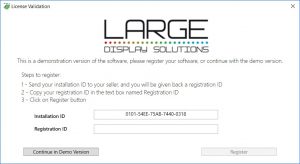 In the LDSperimetral system, licensing is per computer, meaning a license that works on one computer will not work on another.
If you have an annual license and need to replace your computer, we will provide you with another license for the new computer with the same expiration date. However, in the case of a perpetual license, we will not be able to provide you with a new license, and you will have to purchase it again.
The cost of perpetual licenses is equivalent to the amortization period of a computer (four years) multiplied by the annual price, so that at the annual cost level, if you do not have any incidents, there is no difference.
The perpetual model is suitable for those customers who do not want to have a recurring cost, for whatever reason, and prefer to make a single payment.
In both cases, you will be able to enjoy system updates at no additional cost.