

LDSscoreboard: Professional Sports Scoreboard Software for LED Screens and Windows
LDSscoreboard is the definitive digital sports scoreboard software solution, specifically designed for use on large format LED screens, projectors, monitors, and networked devices. Compatible with Windows 10 and 11, it allows you to transform any HDMI output into a professional scoreboard with integrated advertising management. LDSscoreboard can broadcast the video output to multiple devices over the network including YouTube and Twitch live transmissions.
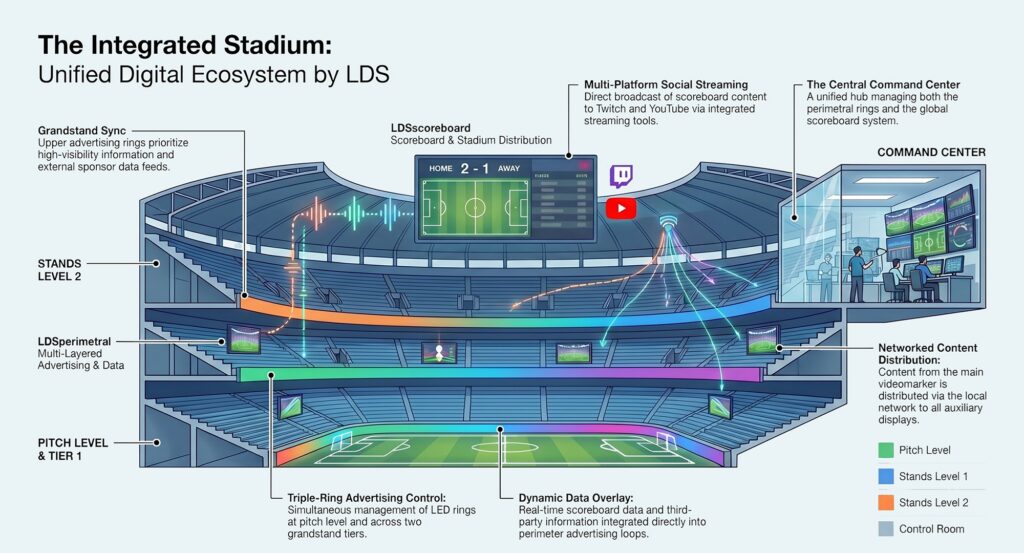
At the same time, it can be operated as a Stadium Control System, being able to manage and integrate in all perimeter systems of the stadium.
Scoreboard templates: Basketball, Rugbi, American Football, American Basketball, football, cricket, badminton, and oders.. If you need a special template, just let us know through the contact page.
Secure Download: Our software installers are digitally signed using a premium Sectigo/DigiCert Code Signing Certificate. This guarantees that the executable file (.exe) is verified, untampered, and 100% free from malware, preventing false positives on Windows Defender and enterprise firewalls.
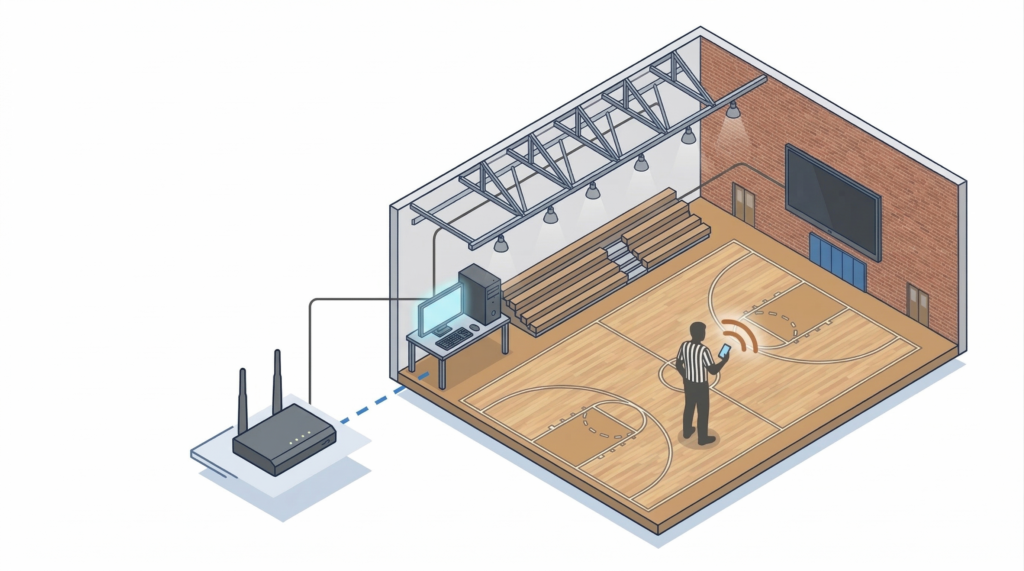
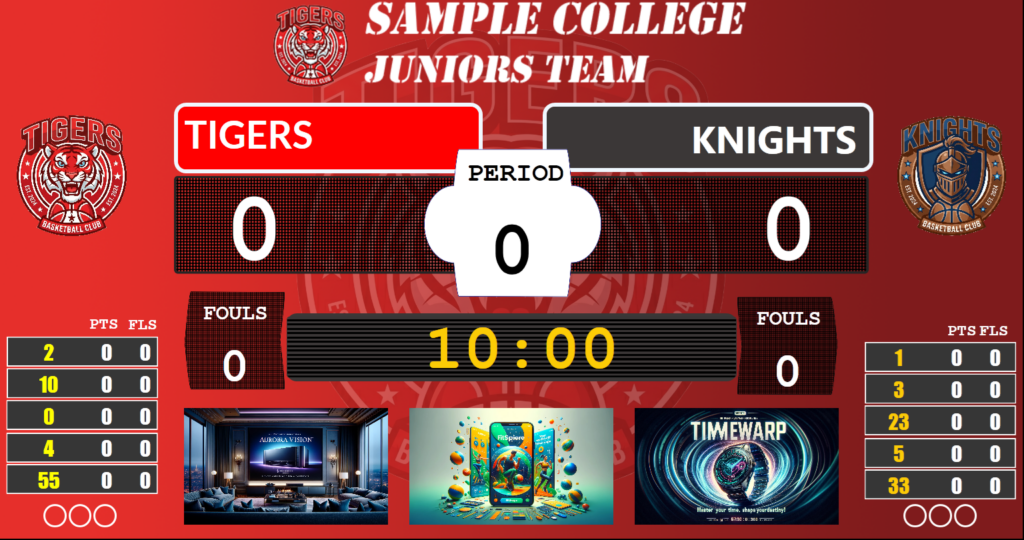
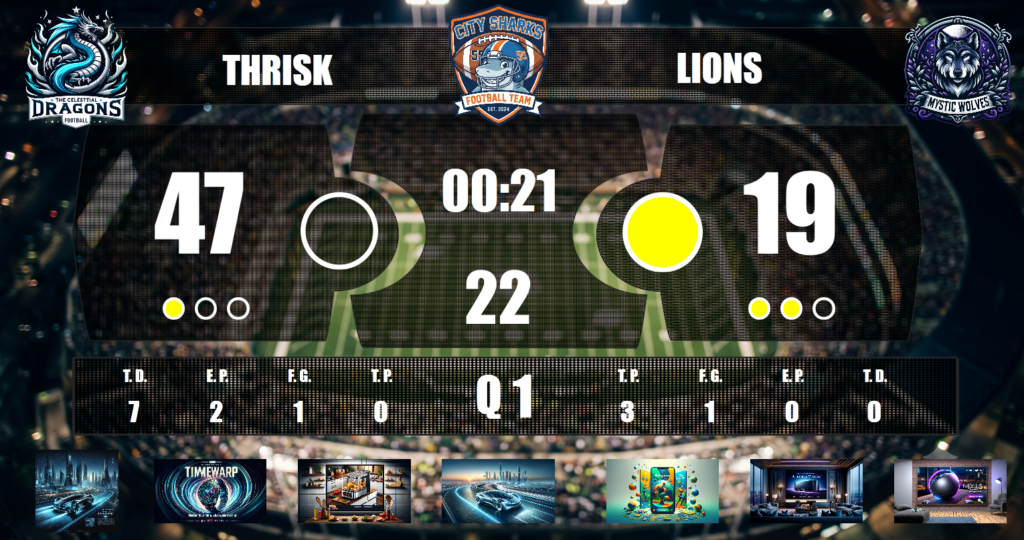
LDSscoreboard is a software package for managing sports scoreboards on LED screens, monitors, or projectors. With this sports scoreboard software, you can configure your scoreboard presentation to adapt to any sport, including videos and images on your scoreboard, connecting a siren via a relay, or using an audio system.
You can imagine your scoreboard as a PowerPoint presentation where you have slides made up of elements where some are editable counters, timers, and labels, but also images, videos, image carousels, and video sequences.
It is an ideal system for both INDOOR and outdoor use, as it allows the management of multiple sports, as well as multiple teams, each with its corresponding customization.
Of course, you can manage it remotely using a mobile phone, tablet, or PC. It only requires being on the same local network.
Sports Scoreboard Software Features
Customize the display with videos and images, without needing a technical team. With this sports scoreboard software for LED screens, you will have all these features at your fingertips.
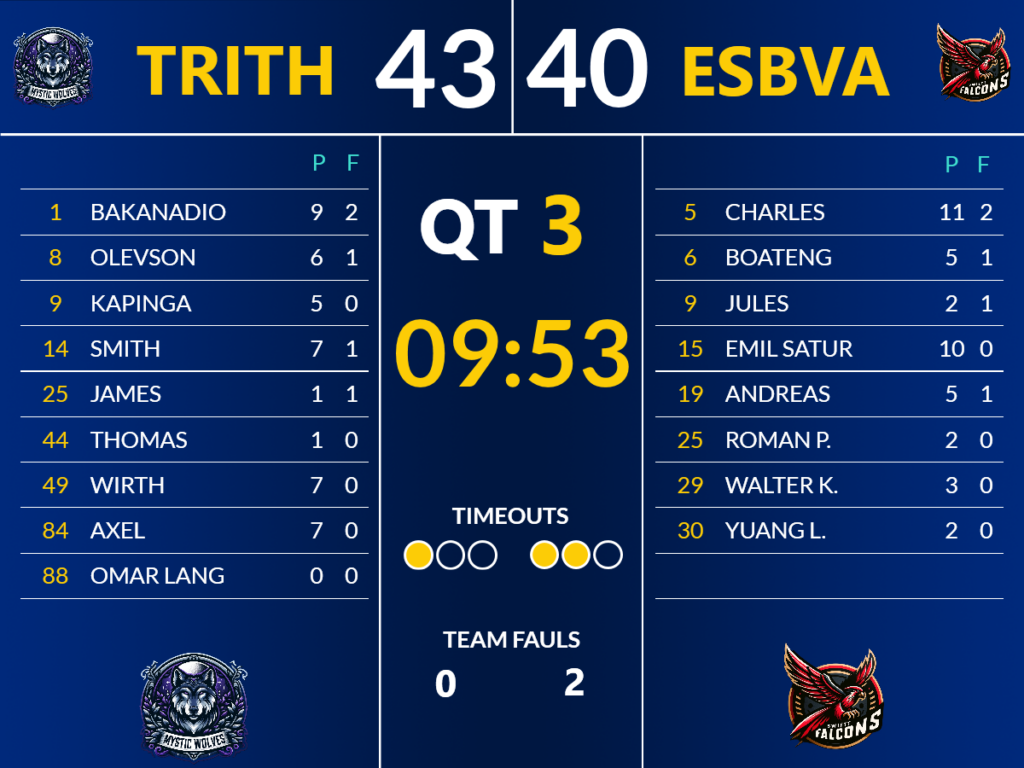
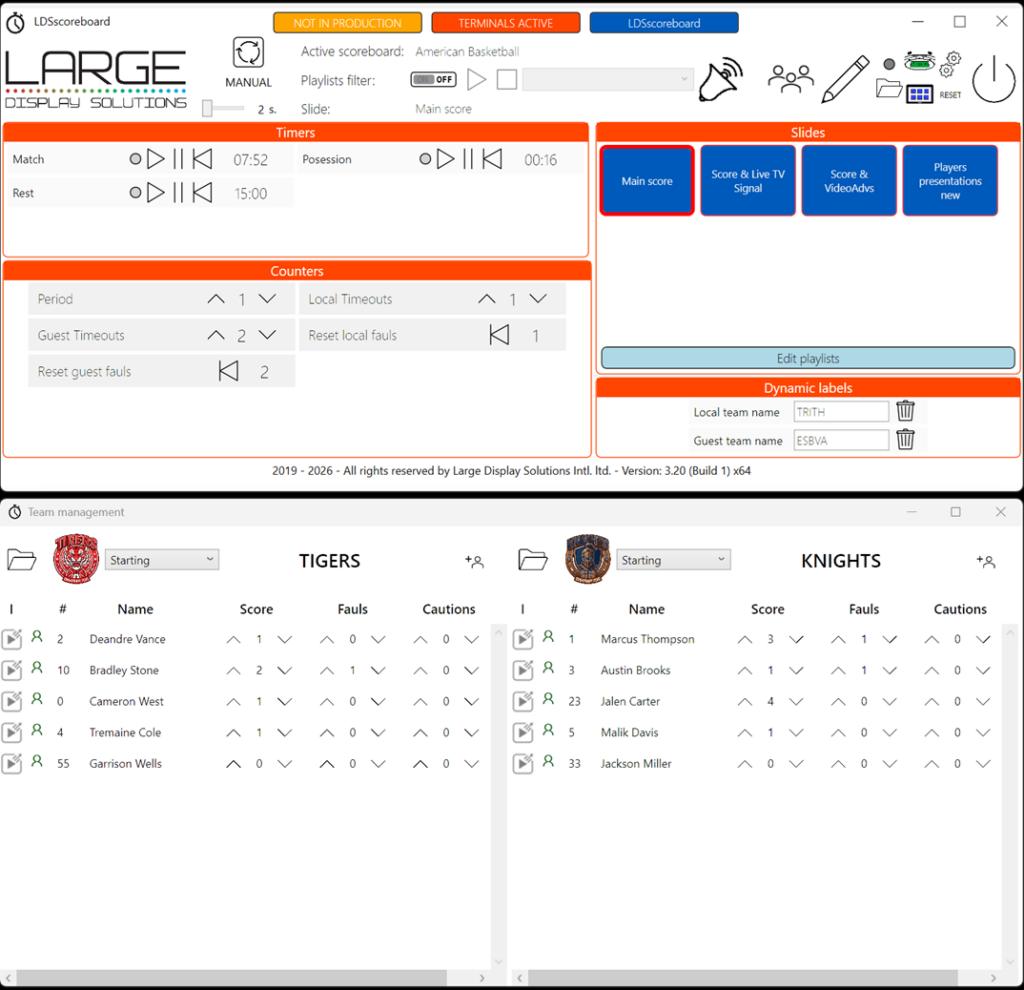
MULTIPLE SPORTS WITH PREDETERMINED SCOREBOARD DESIGNS
LDSscoreboard is a multisport electronic scoreboard, meaning each configuration defines how the electronic scoreboard will be displayed, so you can have as many as you need for sports or teams. To facilitate the setup process, we provide you with a series of templates so you don’t have to start from scratch and only have to modify the existing ones.
The system incorporates example designs that you can use as templates to generate your own.
Don’t limit the use of the electronic scoreboard to just showing the result, and not just for sporting events!
If you need a design we don’t have, contact us and we will prepare it for you free of charge.
Soccer
Basketball
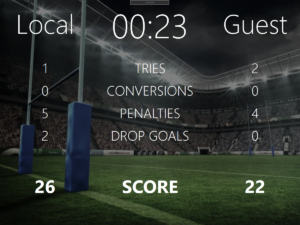
Rugby
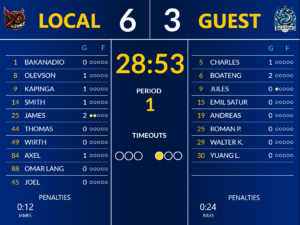
Handball
American Football
American Basketball
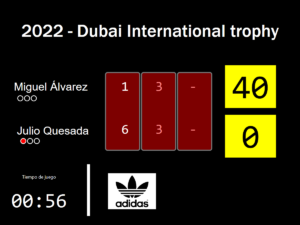
Tennis and Padel
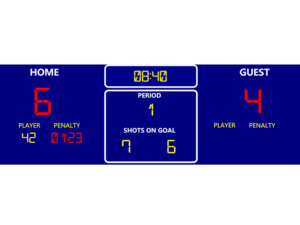
Ice Hockey
USE CASES
The video scoreboard system is ideal for those cases that require a system that is configurable and flexible, but without the needs of a professional stadium that requires professional certifications due to the cost involved. For this reason, the most common use cases are:
SCOREBOARD SOFTWARE CUSTOMIZATION
Video scoreboard customization can be achieved using the video scoreboard editor included in the application. Very easily and intuitively you can customize its design to offer your client or audience a fully personalized experience, including videos, photos, texts and a long etcetera.
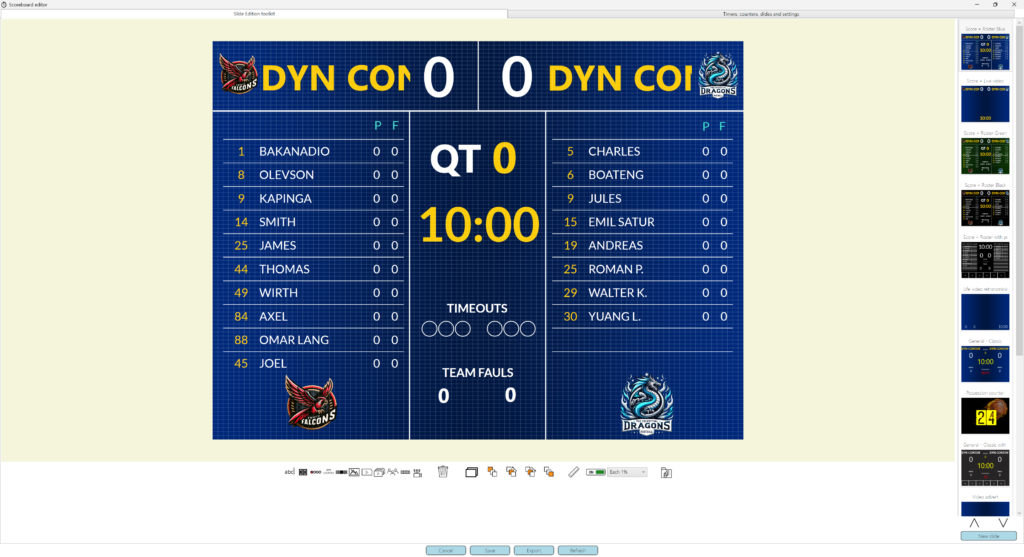
Perform all customization with an intuitive editor and integrate into your scoreboard:
EXPAND YOUR STADIUM’S REACH: BROADCAST YOUR SCOREBOARD TO YOUTUBE AND TWITCH
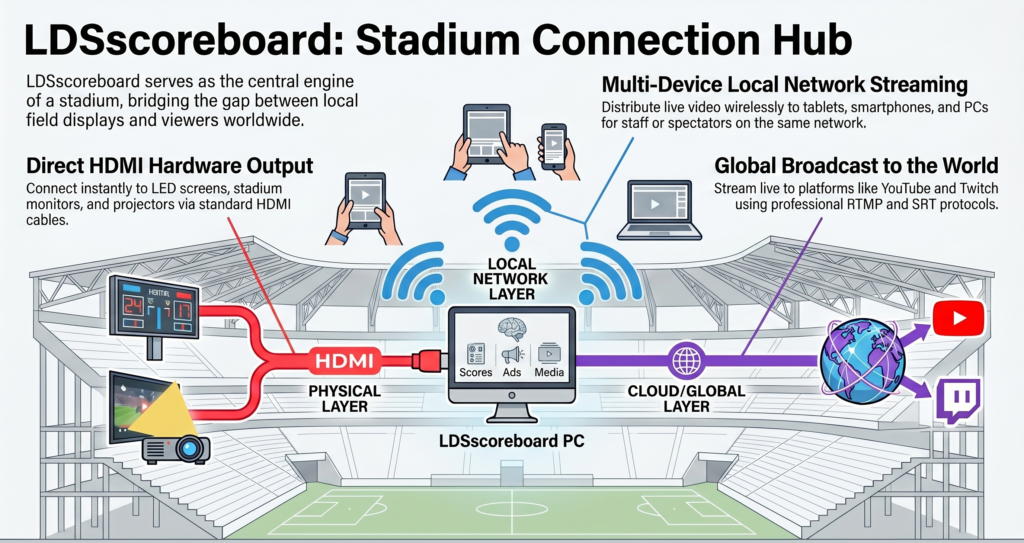
In today’s sporting environment, the matchday experience is no longer confined to those in the stands. With LDSscoreboard, your club has the power to break down the physical barriers of the stadium and connect with a global audience. Our software integrates advanced live broadcast features, enabling direct and simultaneous streaming to leading platforms such as YouTube and Twitch.
This functionality is not just a broadcasting tool, but a strategic competitive advantage for professional and semi-professional clubs:
- Increased Visibility and Engagement: Bring the excitement of the match directly to your fans’ mobile devices, allowing them to interact in real-time through chat and social media.
- New Monetization Opportunities: Enhance the value of your commercial agreements. By streaming live, you can integrate sponsor logos and dynamic advertisements into both the physical video scoreboard and the digital signal, multiplying advertising impressions.
- Professionalism Without Complications: Thanks to compatibility with standard transmission protocols, your scoreboard signal and field cameras merge into a high-quality stream, offering a professional broadcast aesthetic with simplified infrastructure.
- On-Demand Content: Once the live stream ends, the content remains available on your official channels, creating a historical archive of matches and key moments that continues to accumulate views and brand relevance.
With LDSscoreboard, your stadium’s show now has a window to the world, ensuring that every goal, every basket, and every second of advertising reaches further than ever before.
MULTI-DEVICE VIDEO SCORING SYSTEM
LDSscoreboard allows you to use different output devices via HDMI connection: from another monitor for amateur environments, to LED screens with 4K resolution, through projectors or professional screens. Any device that you can connect to its HDMI output can be used as an output device.
It also allows network transmission of the video scoreboard content to multiple devices using RTMP, RTSP, SRT, UDP, WebRTC protocols. This way you can easily send the content to most devices (Novastar Taurus, Android, IOS, PCs, OSX, etc.), while simultaneously sending content to professional servers.
With this system you can manage your video scoreboard, individual timers (such as shot clock in basketball) or split screens. You just need to adapt the output to the configuration of the desired emitter.
LED Screen

Projector

Network

Computer Monitor

TV Screen
SCOREBOARD REMOTE CONTROL: WITH BROWSER AND WITH HTTP API
The system can be remotely controlled in two ways:
- Through the “Terminals” which are web pages generated by LDSscoreboard and accessible from any device,
- Through calls to an HTTP API that allows you to control the scoreboard from your own program.
Remote Control Terminals App
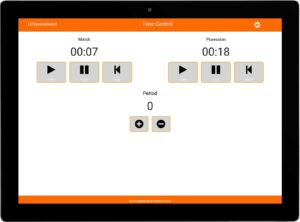
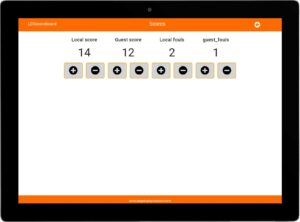
The remote control system called “Terminals” allows you to access scoreboard control from any device with an internet browser connected to the same network. The terminals consist of a set of pages configured in LDSscoreboard, where each one contains the controllable elements you decide. For example, you can have a control terminal for times, another for fouls, etc…
If you wish, you can also change the scoreboard’s current view from the terminals.
To use the terminals, you can use any device with a browser, such as a tablet, a phone, or another PC, connected to the same network as LDSscoreboard.
You can have different control terminals where each one will have its separate controls.
Remote control via HTTP API
Another way to remotely control LDSscoreboard is by using the HTTP API provided by the system. This will allow you to make calls to this API from your system, whatever it may be that allows HTTP calls, and remotely control the scoreboard system in a totally flexible way.
Although this control system is very technical and requires some programming knowledge, it gives you total flexibility to manage one or several scoreboards simultaneously. You can control exactly the same as with the terminals, but from your programs.
OUR RESELLERS
As our platform has evolved over the years, an increasing number of clients have come to rely on LDSscoreboard and the dedicated support provided by our team. This trust extends to our network of resellers—exceptional teams of professionals who play a vital role in delivering our solutions.
Our authorized resellers provide expert guidance throughout the following areas:
-
Acquisition and Installation: Comprehensive assistance during the purchase and setup of scoreboards at your facilities.
-
On-Site Support: Direct, localized technical assistance whenever and wherever it is needed.
-
Holistic Problem Solving: Expert troubleshooting for any challenges you may encounter, whether software-related or otherwise.
Our resellers are a fundamental pillar of our ecosystem, ensuring that both you and your clients enjoy a seamless and premium experience.






UP TO DATE IN 7 MINUTES
Watch this introductory video to get a clear idea of the capabilities of this scoreboard management system.
FREE TRAINING COURSE FOR SCOREBOARD SOFTWARE

Take advantage of the training course on LED scoreboard software to learn about its features and whether it suits your needs. It is a constantly evolving product, so we recommend that you visit this course regularly.
Don’t be left wondering if you can do this or that with the sports scoreboard software, don’t hesitate to ask whatever you want. Our team will kindly assist you.
OPERATING PLATFORM
To use this system you only need:
| Control Computer Feature | Minimum | Recommended |
|---|---|---|
| Processor | Intel i3/i5 | Intel i7 |
| RAM | 8Gb | 32Gb |
| Hard Drive | SSD | SSD |
| Graphics Card | Integrated in CPU | Nvidia |
| Additional HDMI outputs besides the main screen | 1 | 1 |
| Internet Connection | No | Yes |
LICENSING MODEL
Licenses are always linked to a computer, meaning each computer offers a different registration number and the license is for the exclusive use of that computer. It is not interchangeable. To cover all your needs, we offer two types of licenses: annual renewal licenses and perpetual licenses (for the computer on which they are installed).
The licensing model used offers you these possibilities:
And you will get…
| Annual Renewal | Perpetual License | |
|---|---|---|
| All functionalities are available | Yes | Yes |
| Is there a time limit for using the license? | Yes, one year after activation | No, it is forever. |
| Can I replace the computer? | Yes | No |
| In case of theft or replacement, I must purchase another license. | No | Yes |
| Annual Renewal | Perpetual License | |
|---|---|---|
| All functionalities are available | Yes | Yes |
| Is there a time limit for using the license? | Yes, one year after activation | No, it is forever. |
| Can I replace the computer? | Yes | No |
| In case of theft or replacement, I must purchase another license. | No | Yes |
Annual LDSscoreboard License
Perpetual LDSscoreboard License
| Annual Renewal | Perpetual License | |
|---|---|---|
| All functionalities are available | Yes | Yes |
| Is there a time limit for using the license? | Yes, one year after activation | No, it is forever. |
| Can I replace the computer? | Yes | No |
| In case of theft or replacement, I must purchase another license. | No | Yes |
BUT BEFORE YOU BUY…
Download LDSscoreboard, the sports scoreboard software, and try it out. The demo version is fully functional, it only adds our advertising to the scoreboard.

Secure Download: Our software installers are digitally signed using a premium Sectigo/DigiCert Code Signing Certificate. This guarantees that the executable file (.exe) is verified, untampered, and 100% free from malware, preventing false positives on Windows Defender and enterprise firewalls.
FAQ
There are two scenarios depending on the type of license you have chosen:
- Annual license: There is no problem, we will provide you with a license with the same expiration date as the previous one. We will disable the previous license and you will not have any additional cost. You will have a license the next business day.
- Perpetual license: In this case, you must purchase a new license as the existing license cannot be disabled since it is perpetual.
Yes, absolutely. You can customize any aspect of the scoreboard. LDSscoreboard is like a slide editor, but in the context of scoreboards. You can add views, modify existing ones, add counters, timers, images, videos, etc.
You can even change the logo of the dashboard if you wish to brand your client’s installation.
For more information, check out the free online course found in the top menu.
Each license can only be installed on one computer.
On other computers where you install it, a watermark will appear in the system output window, so for some scenarios you do not need to purchase a license.
Licenses are sent within one business day from receipt of payment. Please remember that international transfers may take up to five business days.
No, the system works without an internet connection. However, if you have an internet connection, the system will connect to the license server and the license will be loaded automatically. If you do not have an internet connection, you can enter the license manually using the keyboard.
Obviously, if you use a live connection to a camera, you will need a connection to that camera, either to the local network or the internet, depending on the camera’s location.
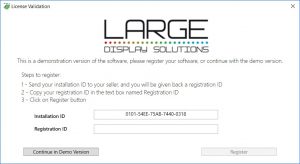 In the LDSperimetral system, licensing is per computer, meaning a license that works on one computer will not work on another.
If you have an annual license and need to replace your computer, we will provide you with another license for the new computer with the same expiration date. However, in the case of a perpetual license, we will not be able to provide you with a new license, and you will have to purchase it again.
The cost of perpetual licenses is equivalent to the amortization period of a computer (four years) multiplied by the annual price, so that at the annual cost level, if you do not have any incidents, there is no difference.
The perpetual model is suitable for those customers who do not want to have a recurring cost, for whatever reason, and prefer to make a single payment.
In both cases, you will be able to enjoy system updates at no additional cost.
Data privacy is paramount in modern stadium environments. LDSscoreboard is engineered to be 100% GDPR (Europe) and CCPA (California) compliant. Because the software operates entirely locally on your designated PC without forcing mandatory cloud synchronization, no spectator data, team information, or analytics are ever transmitted to external servers. Your stadium data remains entirely under your local network control.